
Best Practices for Deploying FortiSwitch in a Fortinet Environment
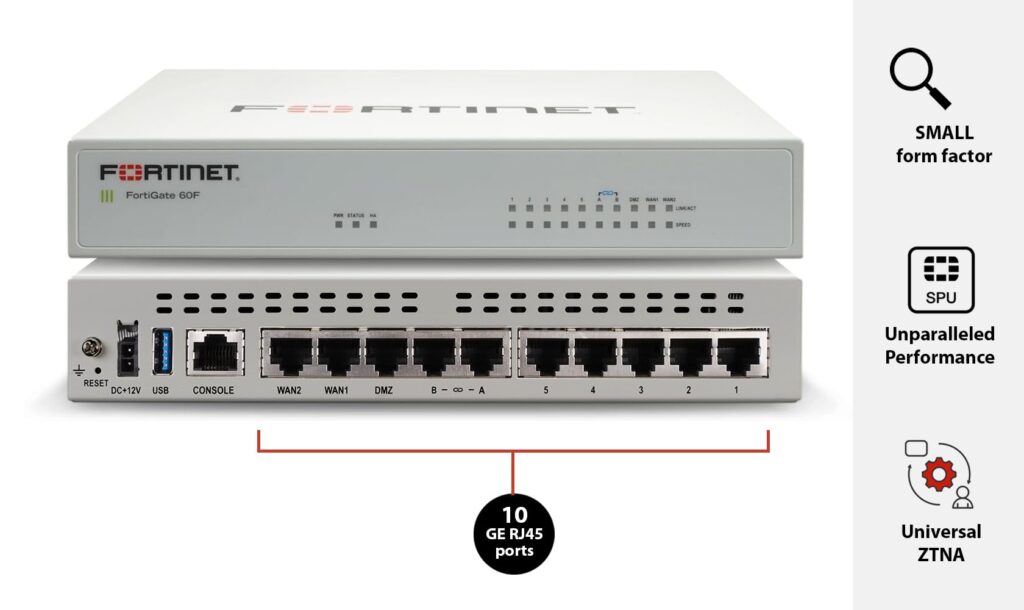
The fortiswitch is a critical element in any Fortinet deployment, providing access-layer switching, PoE for edge devices, and deep integration with the Fortinet Security Fabric. When deployed correctly, FortiSwitch reduces operational complexity, enforces consistent security policies, and delivers reliable wired connectivity for users, IoT, and OT devices. This 1,000-word guide outlines practical best practices for planning, deploying, securing, and operating FortiSwitch within a Fortinet environment.
Plan: right-sizing, topology, and use-case alignment
- Assess port count, uplink speed, and PoE budget
- Inventory expected endpoints (PCs, phones, APs, cameras) and determine per-port and total PoE needs. Choose models whose per-port and aggregate PoE budgets cover peak loads, and ensure uplinks (1/10/25/40/100 GbE) match anticipated northbound capacity.
- Match switch models to roles
- Use compact PoE access switches for small sites/branch offices; mid‑range models for campus access/distribution; high‑density models for aggregation or data‑center leaf/spine roles. Validate MAC/ARP table sizes and PPS capacity against expected device counts and traffic patterns.
- Design resilient topologies
- Incorporate redundant uplinks with LACP, multiple distribution paths, and VRRP where appropriate. Keep STP/RSTP/MSTP design consistent to avoid reconvergence surprises. For mission-critical sites, use models with dual power supplies.
- Plan addressing, VLANs, and segmentation
- Define VLANs by function and risk (user, guest, IoT, OT, management). Keep management VLANs separate and restrict access. Use private VLANs (PVLANs) and port isolation for high-risk segments like IoT.
Deploy: provisioning, configuration, and integration
- Prefer FortiGate-managed mode
- Managing FortiSwitch from FortiGate unlocks unified configuration and Security Fabric automation. FortiGate can discover, provision, and push port profiles, VLANs, and PoE settings—reducing per-switch overhead.
- Use templates and standardized port profiles
- Create templates for common port roles (access for APs, phones, workstations, cameras) with standardized VLANs, QoS, PoE priority, and ACLs. Apply templates consistently to minimize configuration errors and simplify audits.
- Automate initial provisioning
- Use FortiManager to roll out firmware, templates, and configuration at scale. For branches and remote sites, employ zero-touch provisioning where possible to avoid manual on-site configuration.
- Integrate identity, NAC, and endpoint posture
- Connect FortiSwitch to FortiAuthenticator/FortiNAC and FortiClient to enable 802.1X, dynamic VLAN assignment, and posture-based access. This enforces least-privilege access and enables automated remediation workflows.
- Configure QoS and traffic prioritization
- Define QoS policies for voice, video, and critical application flows. Prioritize VoIP and real-time traffic on access ports and ensure adequate queuing at aggregation uplinks.
Secure: protect management, control plane, and ports
- Harden the management plane
- Isolate switch management on a dedicated VLAN or management network. Restrict access to FortiGate/FortiManager using role‑based access control (RBAC) and multi-factor authentication for admin accounts.
- Use secure channels and authentication
- Ensure FortiGate–FortiSwitch communication uses secure management channels (TLS/SSH) and strong credentials. Replace default passwords and enforce certificate-based authentication where supported.
- Enforce port-level security
- Enable 802.1X authentication where possible, and implement MAC limiting, sticky MACs, and static MAC bindings for high-risk ports. Configure BPDU guard, root guard, and loop-protection features to keep layer-2 stable.
- Limit control-plane exposure
- Disable unnecessary services on switches (e.g., unused management protocols). Rate-limit control-plane traffic where supported to protect the switch CPU from floods or scanning attacks.
- Apply ACLs and private VLANs
- Use port ACLs and PVLANs to block unauthorized protocols and prevent lateral movement among devices in the same VLAN (useful for guest and IoT isolation).
Operate: monitoring, maintenance, and incident response
- Centralize logging and analytics
- Send switch logs and telemetry to FortiAnalyzer and FortiManager for centralized reporting, historical analysis, and forensic investigations. Use dashboards to track PoE usage, MAC churn, and link health.
- Monitor PoE and capacity proactively
- Create alerts for nearing PoE budget thresholds, high temperature, or sustained elevated current draw. Implement PoE priority rules to gracefully shed non‑critical devices when budgets are exceeded.
- Use staged firmware management
- Test firmware updates in lab or pilot groups before wide rollout. Use FortiManager to schedule staged upgrades and maintain rollback images in case of issues.
- Validate resilience with regular testing
- Periodically test failover scenarios (uplink loss, PSU failure, STP reconvergence) and validate that redundancy behaves as expected. Document recovery procedures and run tabletop exercises for network incidents.
- Maintain accurate inventory and documentation
- Keep up-to-date records of switch models, serial numbers, firmware versions, port mappings, and applied templates. This accelerates troubleshooting and compliance audits.
Troubleshoot: tools and common scenarios
- Use FortiGate as a single-pane console
- When FortiSwitch is FortiGate-managed, start troubleshooting from FortiGate dashboards to correlate security alerts with physical ports, PoE status, and MAC activity.
- Leverage telemetry and flow data
- Use sFlow, NetFlow, or equivalent telemetry to identify traffic hotspots and abnormal flows. For voice issues, check latency/jitter counters, duplex mismatches, and PoE stability on AP/phone ports.
- Address MAC flapping and flooding
- If MAC flapping occurs, inspect link aggregation, STP configuration, and physical cabling. High MAC table churn may indicate a looping issue or a device performing network scans.
- Resolve PoE problems
- When devices lose power, verify per-port and total PoE budgets, firmware quirks, and cabling. Check for power-priority settings and whether the switch initiated power-shedding.
Scale and evolve: planning for growth
- Use hierarchical management for large fleets
- For many sites, deploy FortiManager and FortiAnalyzer to manage templates, logging, and firmware at scale. Segment management responsibilities with RBAC and administrative domains.
- Design for predictable expansion
- Standardize on a few FortiSwitch models to simplify spares, support, and training. Ensure uplink capacity is provisioned with headroom for growth and consider modular switches for future uplink upgrades.
- Revisit segmentation and policies periodically
- As IoT, BYOD, and application needs change, review VLAN and policy designs annually. Adjust templates and QoS rules to reflect evolving traffic patterns.
Conclusion
Deploying FortiSwitch in a Fortinet environment delivers strong operational and security benefits when approached methodically. Right-size hardware, adopt FortiGate-managed mode, standardize templates, integrate identity/posture services, harden management and ports, and centralize monitoring and firmware lifecycle. Regular testing, staged rollouts, and proactive PoE/capacity monitoring keep networks reliable and secure. Following these best practices ensures FortiSwitch contributes fully to a secure, manageable, and scalable Fortinet deployment.